


In this update, Apex Black retests are back in the workspace, investigations track linked fix pull requests, and you can cancel scans from the UI. Here’s what changed.
Check whether the fix worked
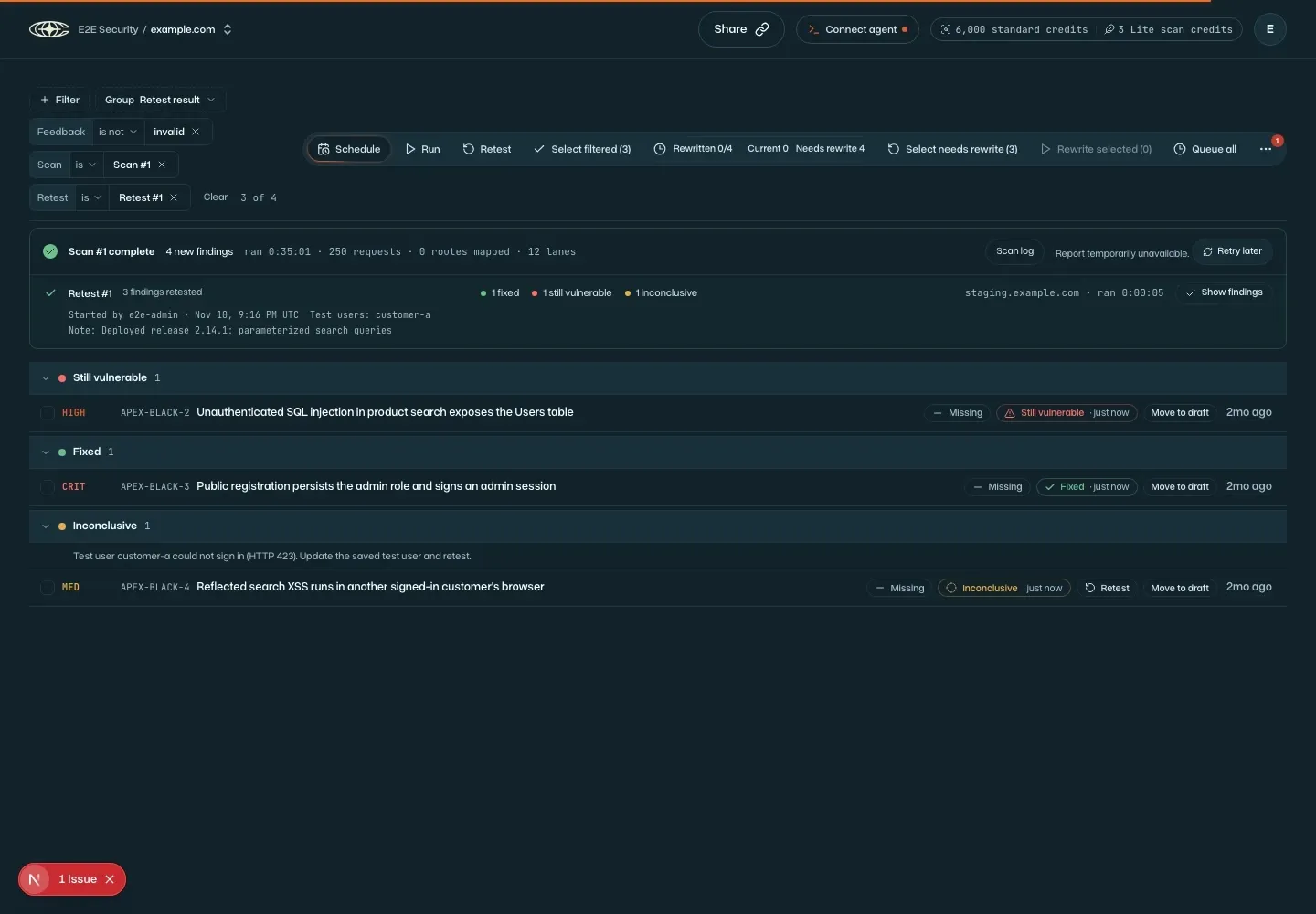
Apex Black finding retests are back in the workspace, with three clear outcomes: Fixed, Still vulnerable, or Inconclusive.
If a retest cannot confirm the outcome, it is marked Inconclusive. Retest history sits alongside the finding, and shortcuts are visible without hovering over a row.
Retests can run concurrently, including in batches. Each retest start uses 25 Standard credits.
Track fixes through review
Clarion agents now keep Issues open while linked fix PRs are open or in draft. CI failures, reviews, comments and PR closure can prompt the agent to revisit the investigation.
Bounty programs using agent triage can configure automatic ticket rules with Linear destinations and severity filters. Linked remediation PRs appear on findings, and authorized triagers can add context and revise assessments through follow-up messages.
Agents also use human corrections and the reasons behind them to inform future triage. Bounty corrections stay within the same program.
Stop a scan from the workspace
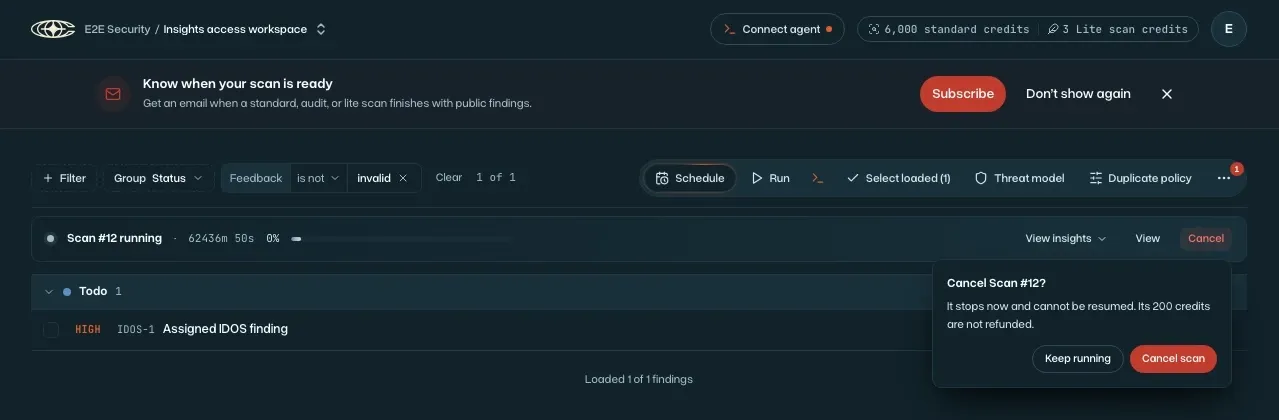
You can now cancel a queued or running scan directly from the workspace or scan page. The same control is available for supported Fix Review runs, so you no longer need to switch to the CLI or API to stop them.
A confirmation explains what will happen, including how credits are handled. Cancellation does not change the existing refund policy, and Apex Black retests are not covered by this control.
Attach spreadsheets and message Clarion directly
Clarion now accepts Excel and CSV attachments in chat. Upload a compliance questionnaire and ask Clarion to help fill it out, then review the answers before sharing it. You can work from the spreadsheet itself without copying each question into a message.
You can also message Clarion directly in Slack. Existing installations need updated app permissions and event configuration before DMs are available.
For teams working from the terminal, Apex CLI 0.1.49 adds device login and website scans that do not require a repository binding.
Testing: Detect agentic attacks in your logs
We’re adding SIEM-like log monitoring to Clarion so teams can spot and investigate agentic attacks. Clarion will connect activity across Cloudflare requests, GitHub audit events, Okta System Log and AWS CloudTrail, giving agents the context to investigate suspicious behavior.
You’ll be able to describe what you want to detect in plain English and test it against historical logs. When a detector flags suspicious activity, a Clarion agent can investigate. Agents can help test and compare detectors, while creating, changing or enabling them requires human approval.
We’re testing this with a small group of teams before making it more widely available.