
Clarion now flags potential credential harvesting in Claude Code sessions. This release also adds bug bounty triage, new integrations, and Apex updates for Audit Setup and finding review.
Credential-harvesting detection in Claude Code
In August, we added Claude Code telemetry and MCP server inventory to Clarion. This release adds detection for two patterns:
- A session reading a secret, such as a
.envfile, then making an outbound network request. - One-line exfiltration commands.
Clarion flags these sequences for investigation as possible credential harvesting. The surrounding context helps determine whether the activity is suspicious or part of legitimate development.
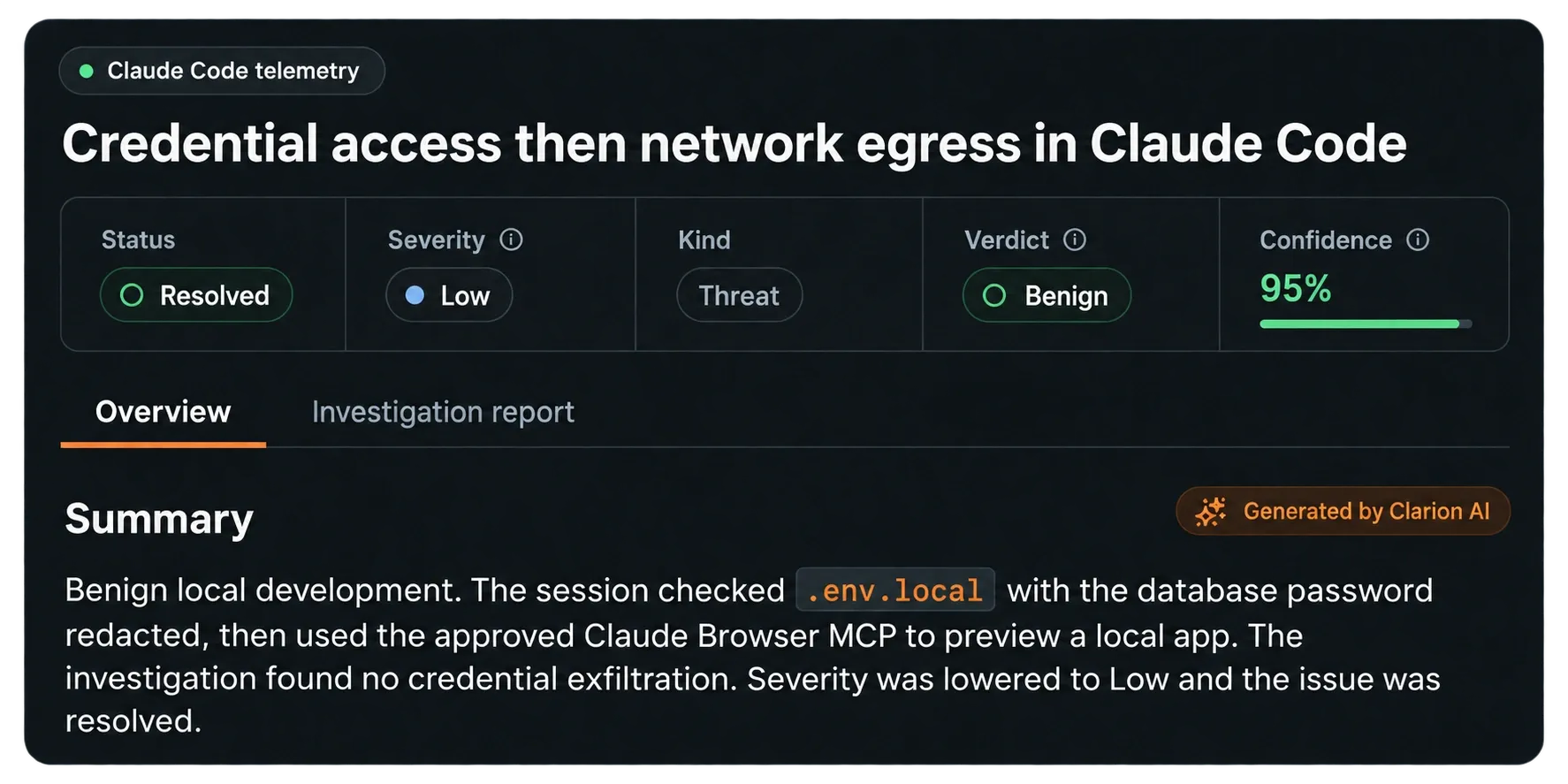
Clarion flagged credential access followed by network activity and resolved this session as benign local development. Product view recreated with edited text and identifying details removed.
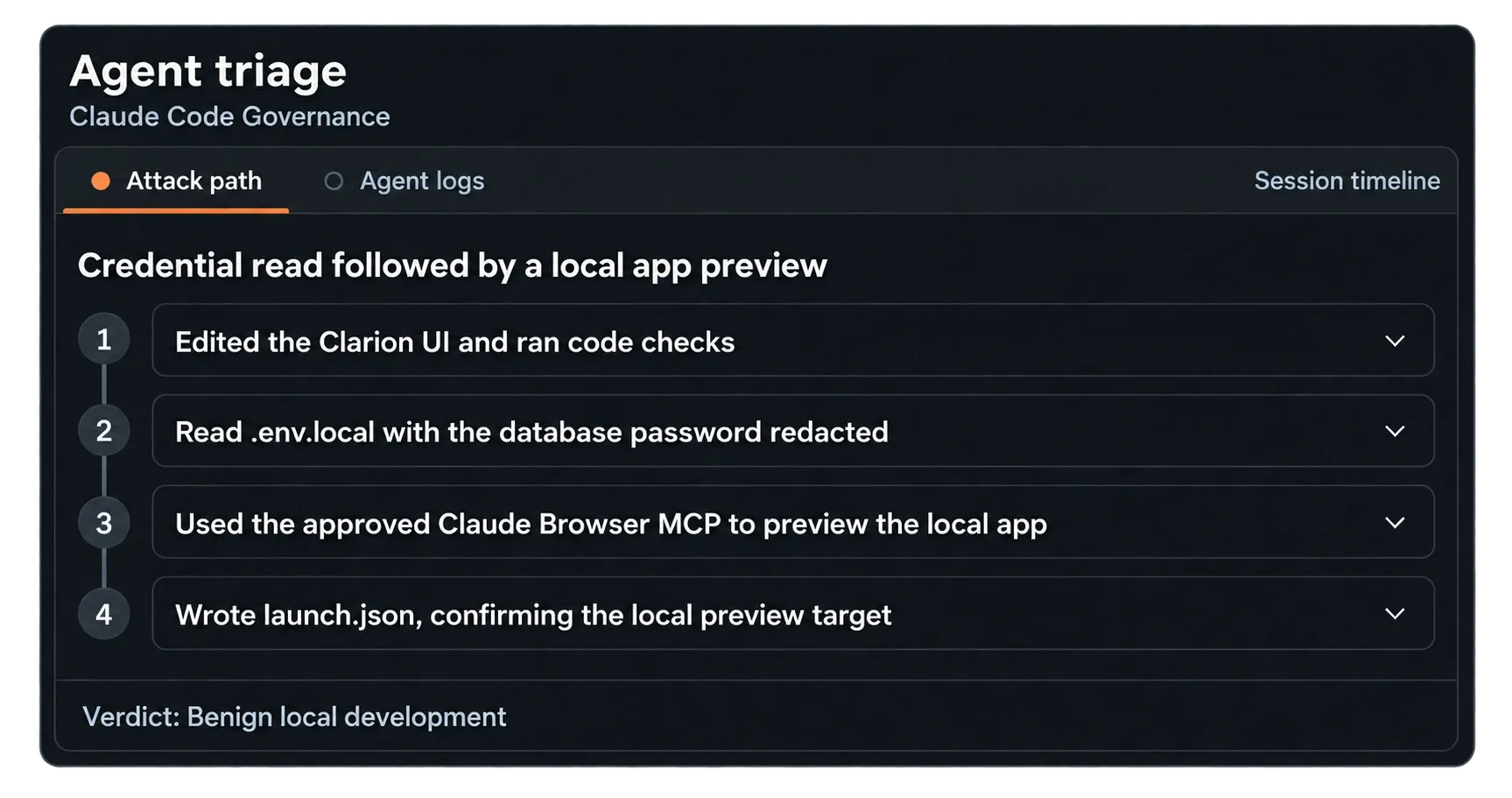
The investigation connected a redacted credential read to an approved tool and a local preview target. Recreated view with shortened labels.
New integrations and investigation tools
- Supabase: Connect through OAuth. Agents get read-only access to tables, logs, migrations and advisories during investigations.
- Amazon Inspector: AWS vulnerability findings flow directly into Clarion as triaged issues, with blast-radius analysis against your AWS assets.
- NinjaOne: Device alerts become Clarion issues. Agents can check device health, patch status, installed software and running services through read-only access.
- CrowdStrike Next-Gen SIEM: Agents can search SIEM records while investigating a Falcon alert.
- Vanta: Your vendor register and compliance policies are now available in the Brain, including controls and remediation SLAs.
People in the Brain
Google Workspace, Slack and Teams users now sync into Clarion’s Brain and match to Okta identities by email. When investigating someone’s activity, agents can see their identity timeline and past triage notes in one place.
Apex: use prior feedback in Audit Setup
Apex can now summarize feedback from earlier finding reviews. You choose which feedback to include in Audit Setup, so the next scan has the scope decisions and codebase assumptions from those reviews.
Fix Instructions also include lessons from previous Fix Reviews.
Workspace setup
Create a workspace through an Apex conversation. Threat-model setup supports chat, CLI and automatic generation. A new guide provides a single prompt for connecting your coding agent.
Finding review
Fix Reviews appear directly in finding rows, labeled with the PR or branch. You can see their status and history, and retry them from there.
PR search accepts a number, title, source branch or author. Bulk actions let you mark selected findings Valid, Invalid, Acknowledged or Fixed.
Scan results and credits
Findings can appear while a scan is still running. Completed Standard and Ultra scans show their Scan Insights graph above the findings on the workspace overview.
When extending a scan, you can adjust the budget in 100-credit increments. The graph includes credit and finding tooltips for each interval. Credit usage history now has date filters and separate credit types.
SLA reports
Clarion can generate branded PDFs showing how dependency vulnerabilities were remediated against service-level agreements (SLAs), for use in audits, customer reviews and board reporting.
Questions and approvals in Slack and Teams
During an investigation, an agent can privately ask a specific teammate a question and use their reply to continue.
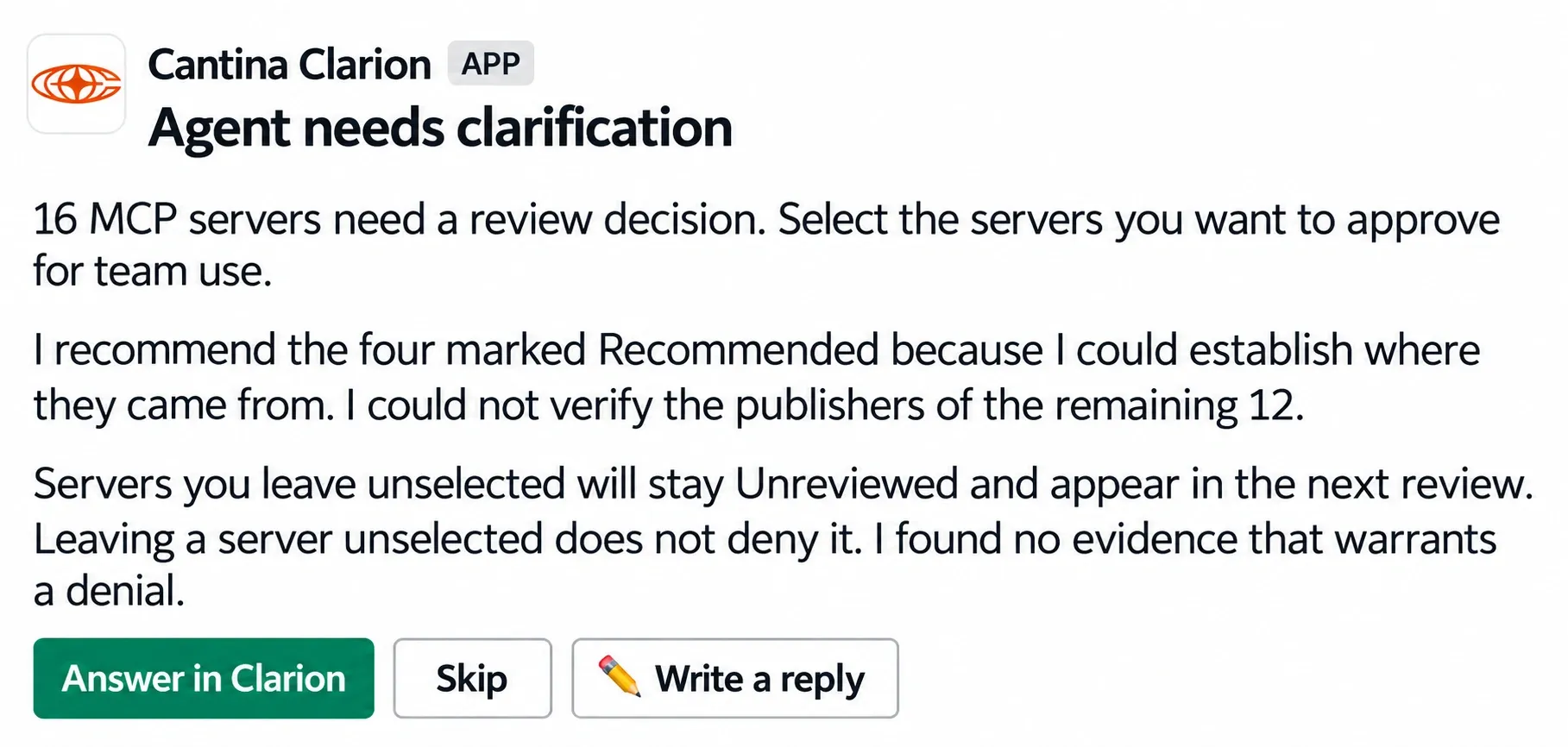
Clarion asks a teammate which MCP servers to approve. Recreated message with text edited for clarity.
Approval requests now accept comments. Reviewers can approve or reject a request with a reason, and the agent uses that explanation to inform its next action.
Other updates
- Open status: Confirmed, nonurgent issues can stay Open for remediation without triggering an urgent escalation.
- Fewer duplicate issues: Recurring Wiz posture findings group under one issue. Repetitive low-severity alerts are also deduplicated.
- Monitor status: Paused monitors are marked Needs action.
- Public MCP API: Create, update and delete monitors and detection rules.
- Custom webhooks: Connect sources that use sender-generated secrets or timestamp-based signatures.
- Slack messages: Agents can attach files and format headings, tables, code blocks and links.