
Dependabot tells you when a dependency has a known vulnerability. To decide how urgently to fix it, you need to know which version is running in production and how the application uses it.
Customers kept telling us how much time it took to follow each issue through to completion. Even at 30 alerts a month someone has to gather context and track the fixes.
This is the reason why we built Clarion’s Dependabot integration, to investigate alerts and help teams follow fixes through review and reporting.

Connect Dependabot to Clarion
Dependabot alerts reach Clarion through its GitHub integration. Start with a repository that has Dependabot alerts enabled, then configure the connection:
-
In Clarion, open Integrations → GitHub. Install or configure the Clarion by Cantina GitHub App and select the repositories it can access. The installation needs Dependabot alerts: Read permission. If Clarion reports that permission as missing, ask your GitHub App admin to add it, then reload the configuration page.
-
In the GitHub integration’s Monitors section, configure a monitor, select the repositories to watch and enable the alert filters you need. For example, use the High and Critical Dependabot vulnerability filters to focus on those severities, then save.
-
Open the agent that should investigate these alerts. In its Monitors section, link the GitHub monitor. Review the agent’s skills, connected tools and tool policies, and keep the agent and monitor active.
With those pieces configured, new matching Dependabot events create Clarion issues and trigger the linked agent.
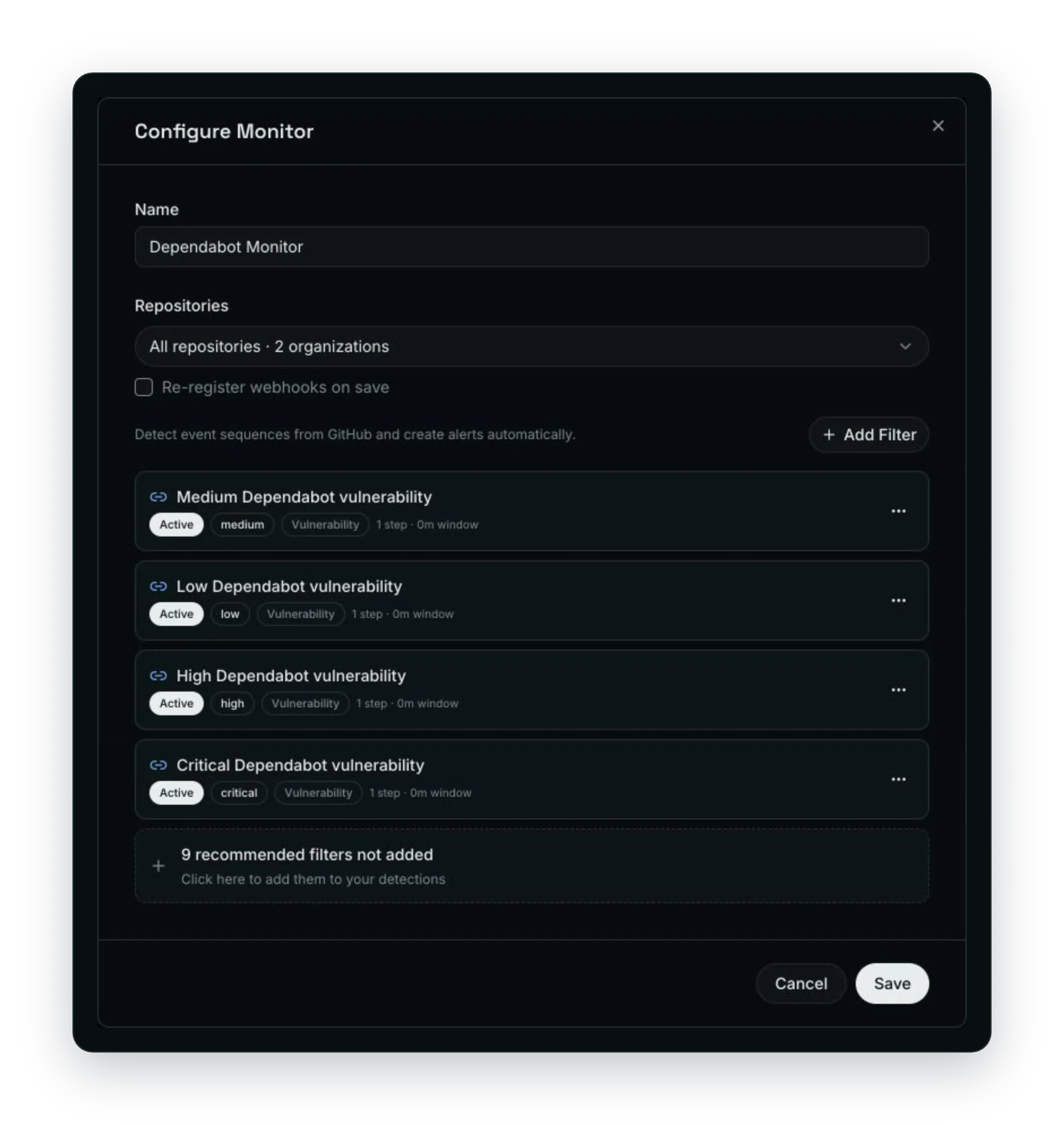
Existing alerts have a separate entry point. In the GitHub integration’s configuration, go to Dependabot Backlog → Process backlog. The guided conversation asks which repositories to process, how to group the work, such as one PR per repository or per dependency, and which agent should handle it. Confirm those choices before remediation jobs start.
Give the agent access to the repository, infrastructure, cloud accounts and observability tools you want it to use, and it will investigate based on which systems you connect.
Check how the application uses the package
A dependency may appear in the lockfile because it’s needed during development or pulled in by another package but its presence doesn’t tell you whether the app calls the vulnerable functionality.
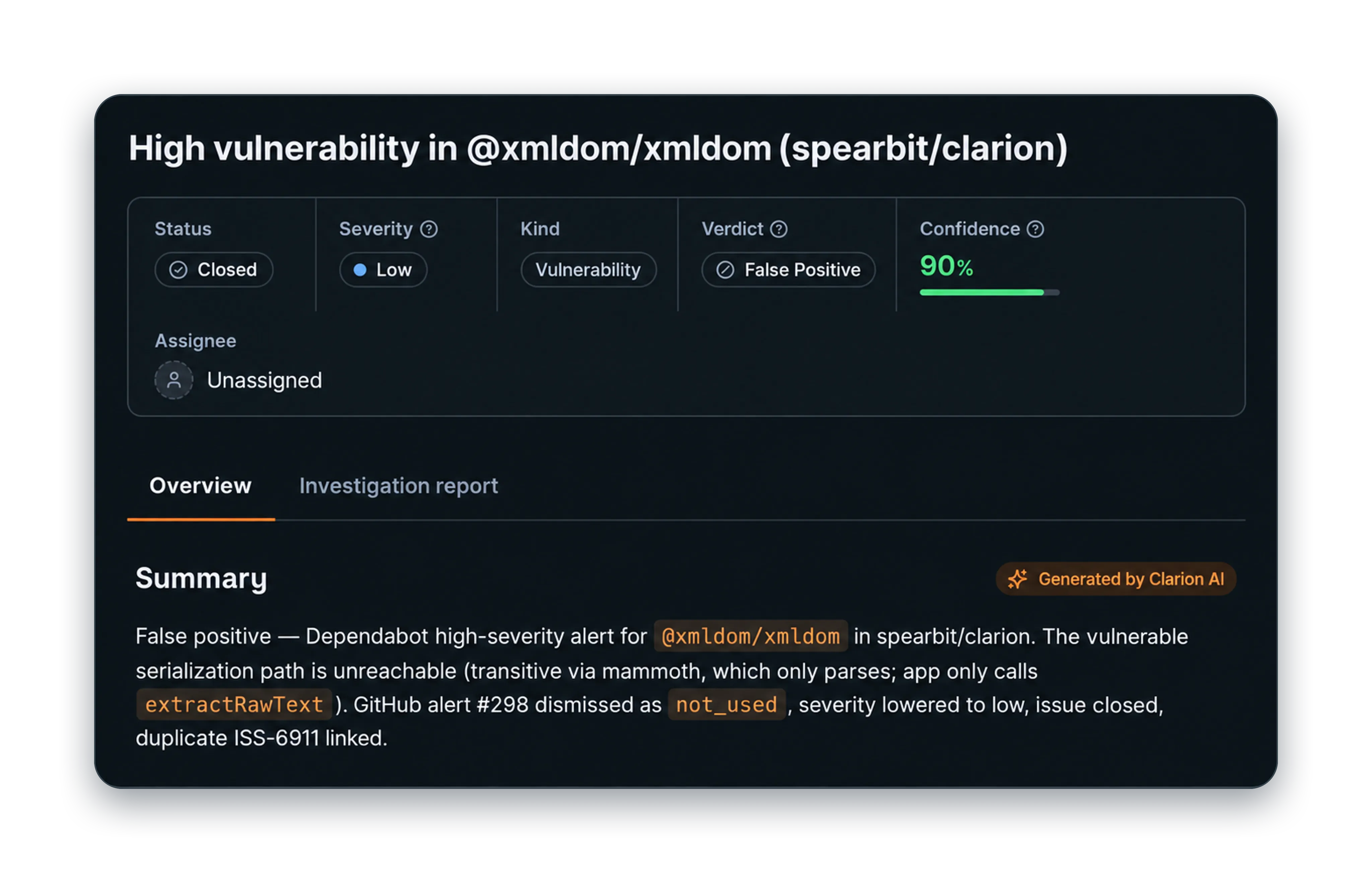
Clarion checks the repository for that usage, including the assumption that the vulnerable code is reachable. The absence of a direct import is not enough to conclude that the app is safe.
Match the repository to the deployed application
A dependency update in your repository doesn’t mean it has reached the production image. Manifests, lockfiles, build artifacts and deployed images can describe different versions of the same application.
For PHP runtime vulnerabilities, our PHP2Shell article covers the patched releases and the need to verify the web-serving runtime.
Clarion uses the connected cloud and infrastructure information to find where the affected code runs, including whether it is in production, staging or development. It can also inspect the deployment history to see how the service has changed.
Once it has located the deployment, the agent can check whether the service is publicly reachable, which authentication and authorization controls protect the affected code path, and which services or resources it connects to.
Check what the logs recorded
An empty log search doesn’t prove that the vulnerable code was never executed. The logs may not have recorded that activity.
When the agent can’t answer a question, it reports the gap and can request clarification. For an empty log search, it may need your team to confirm whether the relevant activity was logged.
Decide what needs fixing first
Evidence that a vulnerable package never enters the production build may support a lower remediation priority. Reachable vulnerable functionality in a service handling customer data may justify more timely action, depending on the exploit conditions and the controls around it (a public endpoint alone doesn’t establish exploitability).
The agent can also check which compliance requirements apply to the service and its data, and consult knowledge from previous investigations in Brain.
We also had to decide when the agent should stop. It can keep following related services long after it has enough information to assess the alert. We focused the investigation on questions that could change that assessment.
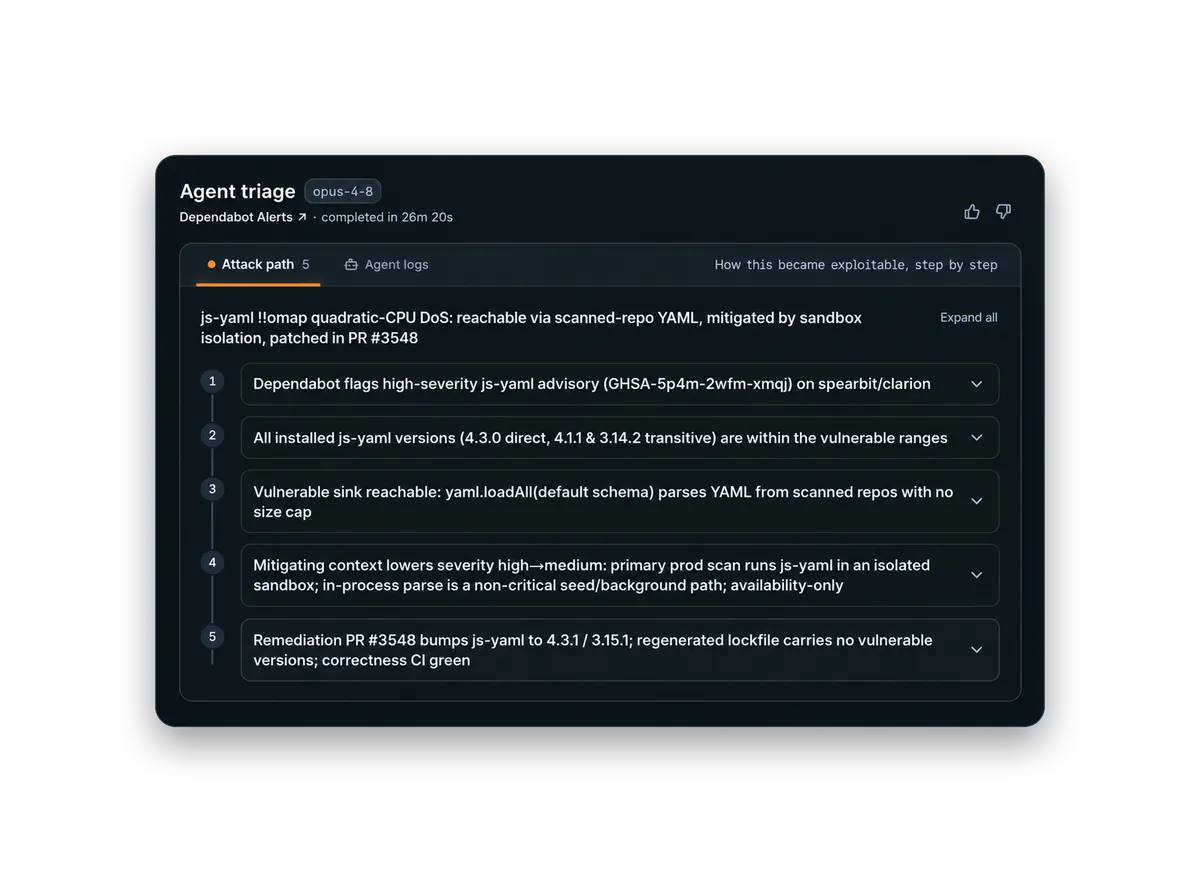
This example shows repository analysis, production sandbox context and remediation. It does not show live cloud or runtime-log queries.
Open a fix and follow it through review
After the assessment, the agent can open a remediation pull request (PR), investigate risks introduced by the change and run the appropriate checks. Your tool policies determine whether it can merge the change or must send it to the owning team for review.
Dependency updates can break existing behavior, so the team’s review and validation requirements still apply.
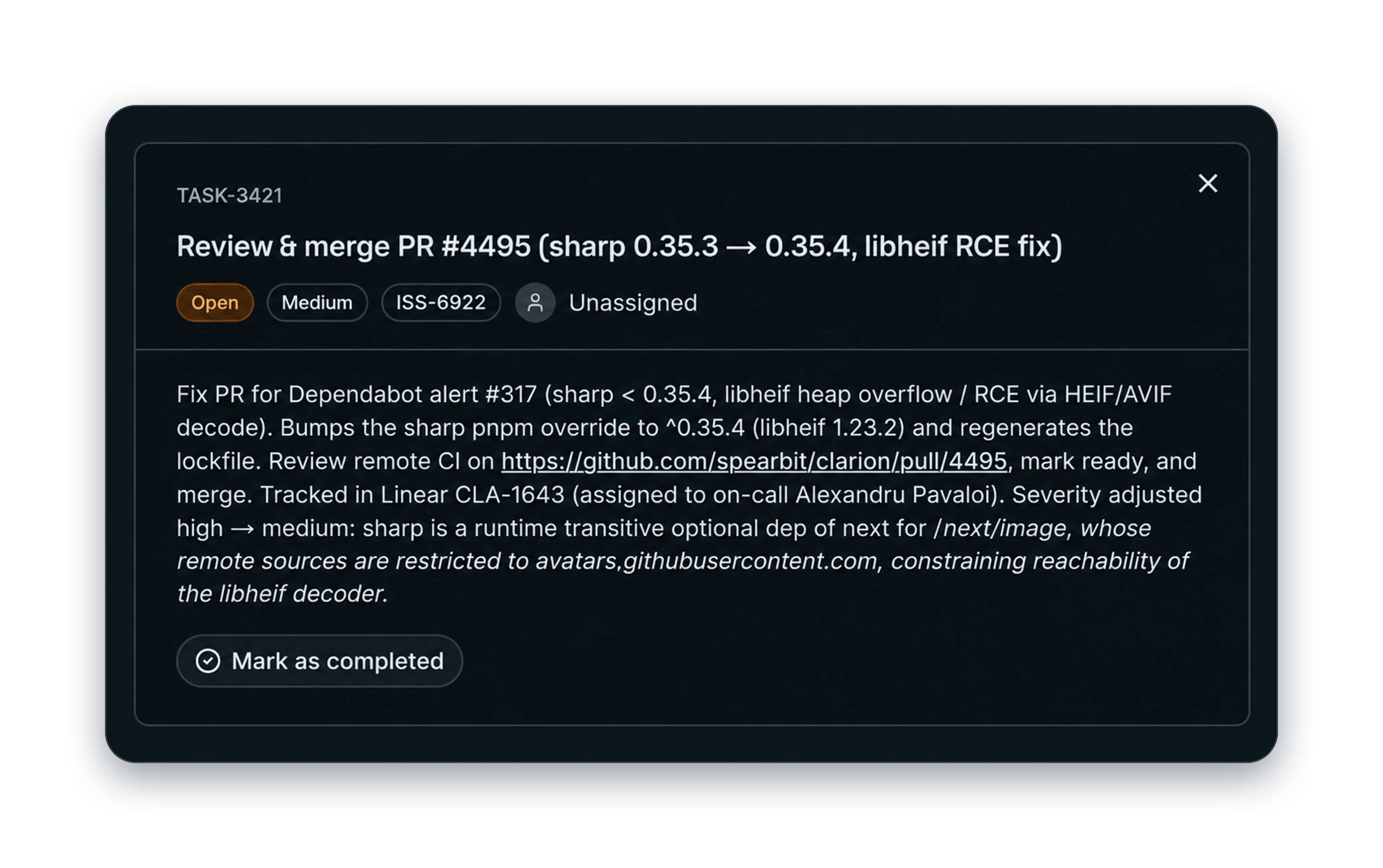
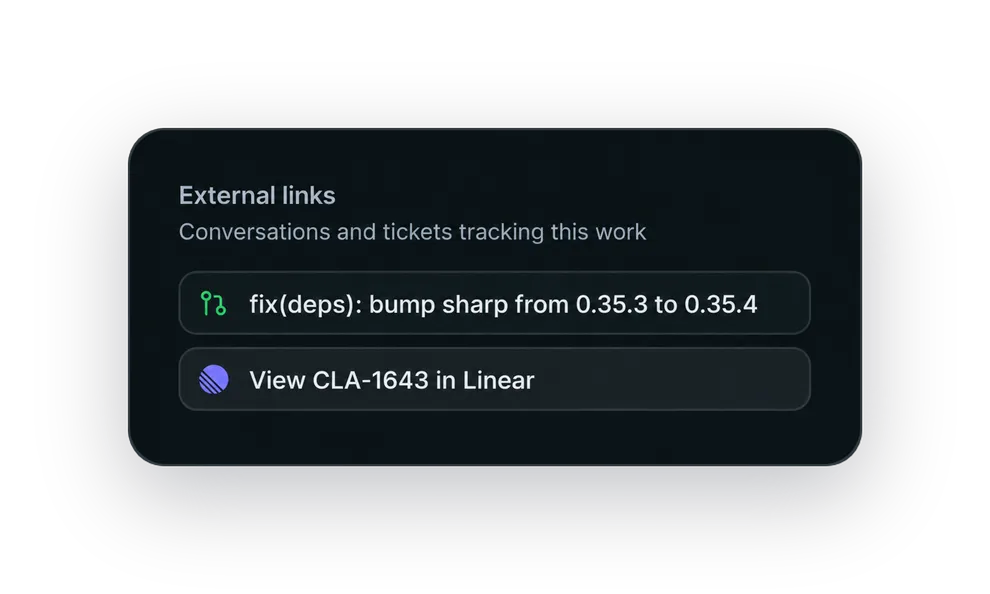
If your team tracks remediation in Jira or Linear, Clarion agents can create tickets, follow up on deadlines and use PR information to track the fix. They can also check whether an issue has already been resolved and keep tickets aligned with the code changes.
Track deadlines and keep the evidence
If your team tracks remediation in Excel, someone has to keep priorities, deadlines and fix status current, then turn those records into reports for security leaders. Clarion agents can track fixes against your service-level agreements (SLAs) and automate those reports using workflows built around your team’s existing process.
For code analysis and compliance reviews, agents can sample completed remediations and send the evidence to platforms such as Vanta. This reduces the work of reconstructing what happened from old tickets and pull requests.
The record should show what was checked, what the evidence supports, what remains unknown, and whether the fix met the deadline.